Give your members
exclusive local perks
A simple page where local businesses list offers for your members. Set it up once and it runs itself.
Sign up free
Free forever · Live in minutes
01
Create a Perks Page
You get a Perks Page for your organization with a unique link and QR code. Your members can visit this page to find exclusive offers from local businesses.
9:41
Colonial Woods Community
Exclusive perks for our members.

Free first haircut
Clean Cut Barbers
0.3 mi

15% off any order
Tony's Pizza
0.8 mi

Free coffee on first visit
Corner Coffee Co.
1.1 mi

First class free
Bay Yoga Studio
1.4 mi
02
Local businesses list exclusive perks on your page
Local businesses in your area can request to list exclusive perks on your page. You can have them added automatically or approve every request.
Requests
These businesses want to give perks to your organization.
Bay Yoga Studio
First class free — new members
Corner Coffee Co.
Free drink with first visit
03
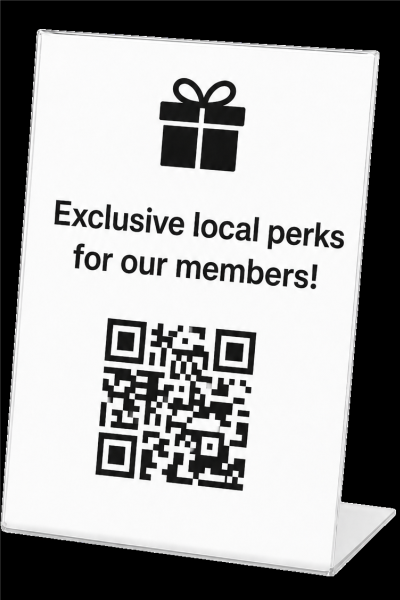
Display your page where your members already look
That's the one thing you do. After that, your page keeps working on its own.
04
Your members can easily redeem their perks
When someone wants a perk, the whole process is frictionless. No app. No account. Just a link in their email they show at the business.
9:41
Your Perk
CC
Corner Coffee Co.
Free cup of coffee on your first visit
Show this page at the counter to redeem your offer.
What is a Perks Page?+
A Perks Page is a simple webpage for your organization where local businesses list exclusive offers just for your members. You display your link and/or QR code once, and your members use it anytime to find and claim deals nearby.
Is Perkster really free?+
Yes, completely. Creating and running a perks page costs nothing, ever. The local businesses who list offers on your page are the ones who keep Perkster going.
What perks get put on my page?+
You have control over every perk that gets listed on your page. Local businesses can request to list exclusive perks for your members. You can have them added automatically or approve each request.
How do my members access the Perks Page?+
You display it once and it works on its own from there. We recommend placing a QR code on a flyer or TV display, adding a link to your website nav, or dropping it in your social media bio.